Custom Patterns
Square, rounded or dotted — make the code yours.
Custom Patterns
The dots that make up a QR code don't have to be plain squares. Pattern options let you soften or stylize the modules so the code matches your design language — without sacrificing readability.
Choose a module style
Switch between classic squares, rounded squares or dots for the data modules.
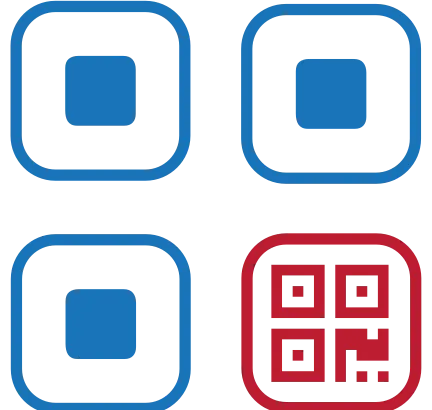
Style the finder eyes
The three corner squares can take their own treatment for a more designed feel.
Keep detection intact
Pattern changes are visual only — the underlying data and quiet zone stay intact so scanners still lock on instantly.
Where it delivers
Design-led brands
Match the code's geometry to a soft, rounded or sharp visual identity.
Premium packaging
A styled code reads as part of the product design rather than an afterthought.
Editorial and posters
Distinctive codes that invite a scan instead of blending into the background.
Functionality
- Square / rounded / dot modules
- Finder-pattern styling
- Preserved quiet zone and detection
- Live preview
- Stacks with colors, logo and watermark
However you style the modules, leave the quiet-zone margin clear — that blank border is how a scanner finds the code.
Create yoursPractical notes
Rounded modules are safe; detached ones are not
Softening the corners of each module changes nothing a decoder cares about, because adjacent dark modules still touch. Shrinking modules so they sit apart as separate dots is a different matter: the gaps break the continuous runs the scanner samples, and codes that look beautiful on screen can fail outright.
Keep the finder patterns recognisable
The three corner squares can be restyled, but they have to stay a square ring around a solid centre. Turning them into circles or badges is the single most common reason a designed code stops working. If you restyle them, keep the proportions: a one-module ring, a clear gap, then a three-module pip.
Test the pattern at its final size
Styling that reads cleanly at 600 pixels on a monitor can turn into mush at 2 cm on a label. Export at the size you will actually print, then scan it from the distance a customer will actually stand.
Common questions
Do rounded or dotted patterns affect scanning?
Rounded corners are safe. Fully separated dots are risky, because the gaps interrupt the runs of dark modules a decoder measures. If you want a dotted look, test it before you print.
Can I change the shape of the corner squares?
Within limits. They must remain a ring around a centre pip with roughly standard proportions. That shape is how a camera locates and orients the code before it reads anything.
Which pattern is the most reliable?
Plain square modules with sharp edges. Every styling choice trades a little reliability for appearance; squares spend none of it.